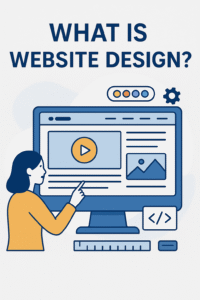
Website design is more than just how a website looks. It’s the art and science of crafting an online experience that is visually appealing, easy to navigate, and built to help users accomplish their goals. Whether you’re creating a personal blog or a business website, understanding what is website design is the first step toward building a successful digital presence.
Why Is Website Design Important?
Your website is your first impression online. A well-designed website:
- Builds trust with your audience
- Improves your site’s SEO performance
- Enhances user experience (UX)
- Encourages visitors to take action (like buying or contacting)
According to a Stanford study, 75% of users judge a company’s credibility based on its website design.
Core Elements of Website Design
Let’s break down the key components that make a good website design work:
1. Layout and Structure
A clean, organized layout helps visitors focus on your message and move through your site smoothly.
Using consistent colors and easy-to-read fonts builds brand identity and improves readability.
3. Navigation
2. Color and Typography
Menus, links, and buttons should guide users clearly. If people can’t find what they’re looking for, they’ll leave.
4. Mobile Responsiveness
Your website must work on all devices—phones, tablets, and desktops. Google also favors mobile-friendly sites.
5. Loading Speed
Sites that load in under 3 seconds keep users engaged and reduce bounce rate.
🔗 External Link Example: For web performance best practices, visit Google PageSpeed Insights.
What Is the Difference Between Web Design and Web Development?
| Feature | Web Design | Web Development |
|---|---|---|
| Focus | Look & Feel | Functionality |
| Tools Used | Figma, Adobe XD | HTML, CSS, JavaScript |
| Role | Designer | Developer |
Web designers handle the visual and interactive elements, while web developers bring the design to life with code.
How to Design a Website (Step-by-Step)
Here’s a simplified guide on how to design a website for beginners:
- Set clear goals (what is the purpose of your site?)
- Research your audience (what are their needs?)
- Choose a platform (like WordPress, Wix, or Shopify)
- Select a theme or template
- Customize the layout and colors
- Add content (text, images, videos)
- Make it mobile-friendly
- Test and launch
Related Questions: What Else Do People Ask?
What is a web design?
It refers to the layout, structure, and visual appearance of a website, including how users interact with it.
What is the web design vs. web page design?
Web design is the full website’s design, while web page design focuses on designing individual pages (like homepage, contact, blog, etc.).
How do you design your own website?
You can use website builders (like Wix or Squarespace) or CMS platforms like WordPress to create your own site—no coding required.
What’s a web designer?
A web designer is someone who plans and creates the visual layout and usability of websites. They ensure your site looks good and functions properly.
How hard is web design?
With modern tools, beginners can start easily. But professional-level design requires a solid understanding of UX, branding, and design principles.
Key Features of Effective Website Design
- ✅ Clear messaging
- ✅ Consistent branding
- ✅ Visual hierarchy (using H1–H3 properly)
- ✅ Accessibility for all users
- ✅ SEO-optimized content with relevant keywords